How to change a registered credit card?
To change your credit card information, do the following steps.
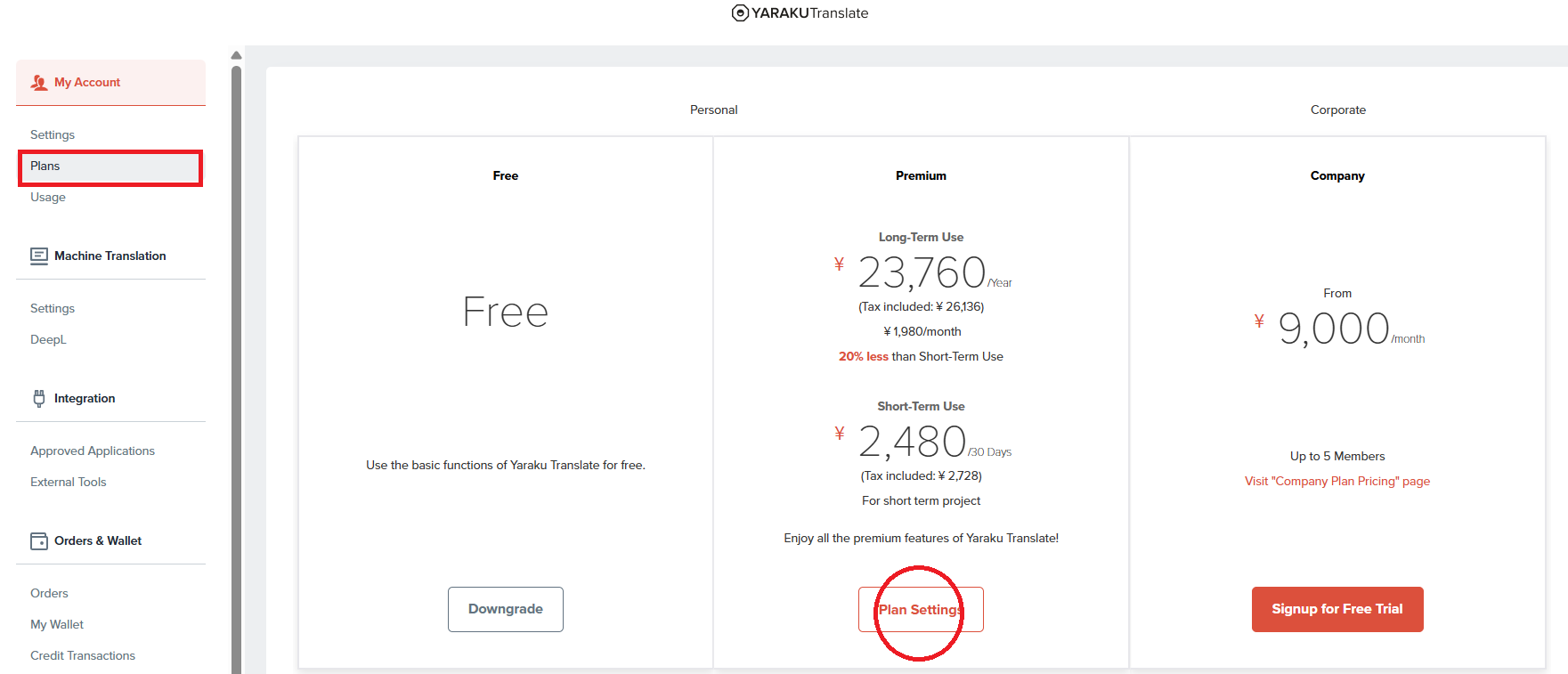
1. Go to Settings>My Account>Plans, and click "Plan Settings" under the Premium Plan.
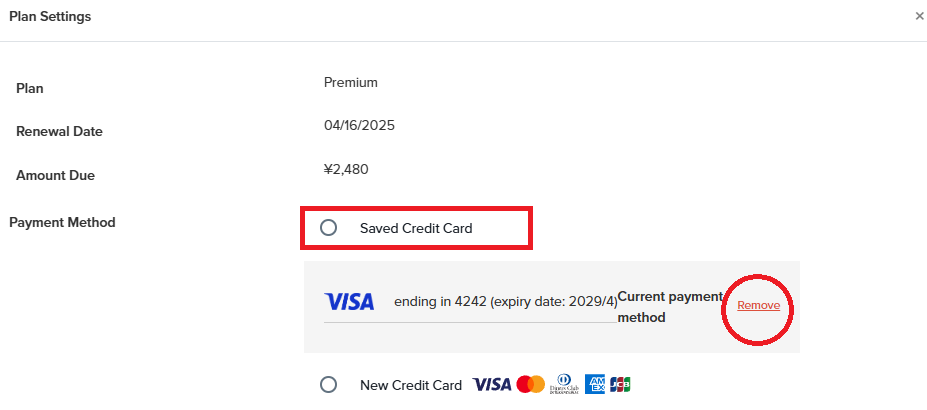
2. Click "Remove " to delete the current credit card information from the "Saved Credit Card".
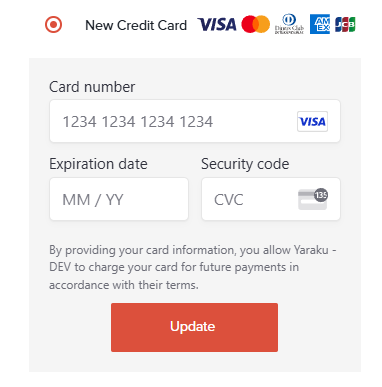
3. Click "New Credit Card" to add the details of the new credit card.
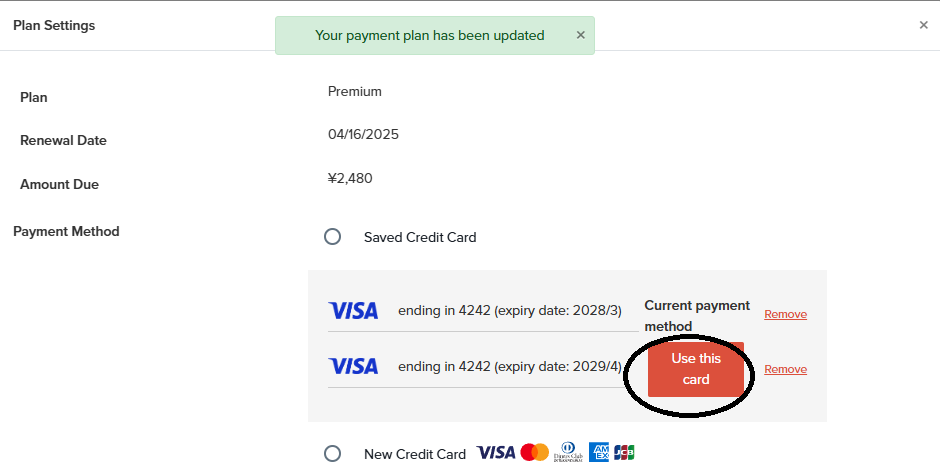
4. If you have multiple credit card saved, after updating the credit card, go to the Plan Settings again,
and make sure to click the "Use this Card" button, so that it will be changed to the "Current payment method"